
If you've been eyeing new computer parts lately, you've probably felt the wallet pain. SSDs, RAM, and portable drives have all shot up in price. Some storage gear is now more than 50% higher than the same time last year (2025), and analysts say these elevated prices could stick around for a while longer.
Facing this surge, do regular folks have any choice besides tightening the purse strings? Absolutely. Here's a proven money-saving hack that turns "junk" into gold: repurposing your old internal drives into fast portable SSDs.
Why Are Storage Prices Skyrocketing Right Now?
Before we fix the problem, let's quickly unpack what's driving the increases (so you won't fall for hype):
• Manufacturers are deliberately cutting production to protect profits after years of rock-bottom prices.
• AI and data centers are devouring capacity. Samsung, Micron, and the rest are funneling most NAND flash into high-margin enterprise drives for AI servers, leaving far less for consumer products.
• Add in currency swings and rising raw-material costs, and the final shelf price climbs even higher.
Bottom line: buying brand-new storage today means paying peak "AI-driven" prices. There's a smarter play.
Your Old Computer Holds Hidden Gold
Most of us have an old laptop or desktop collecting dust in the closet (or worse, headed for the e-waste bin). The SSDs inside—whether 2.5-inch SATA or slim M.2 NVMe—are often still plenty fast. With one simple accessory, you can turn them into a high-performance portable drive that keeps working for years.
Step-by-Step: Build Your Own High-Value Portable SSD
The whole process takes minutes and only requires one key piece: a quality drive enclosure.
Step 1: Identify Your Drive Type
Pull out the old drive and check the interface:
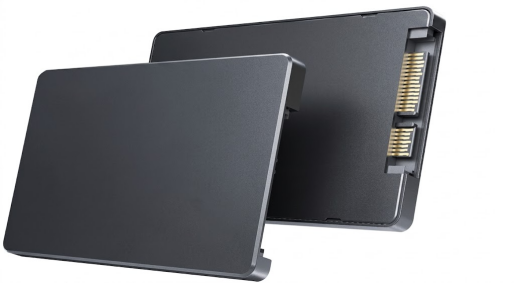
• 2.5-inch SATA – the thicker "brick" style common in older laptops and desktops.
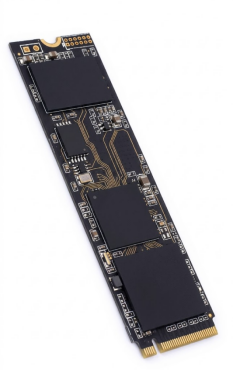
• M.2 NVMe or SATA – the slim, gum-stick size found in most recent thin laptops.
Step 2: Choose the Right Enclosure (This Is the Make-or-Break Part)
To squeeze every bit of performance from your old SSD, focus on these must-haves:
• Exact protocol match (SATA enclosure for SATA drives, NVMe for NVMe).
• USB 3.2 Gen 2 (10 Gbps) or faster for transfer speeds that crush traditional mechanical portables.
• Aluminum-alloy shell for excellent heat dissipation—SSDs run hot under load, and good cooling extends drive life.
• Proven controller chips (JMS, RTL, etc.) for rock-solid compatibility and zero random disconnects.
Pro recommendation: Look no further than VCOM SSD enclosures. They check every box—USB-C 10 Gbps (or higher in their premium lines), premium aluminum builds for superior cooling, tool-free installation, and broad compatibility with Windows, Mac, Linux, and even phones/consoles. Models like the VCOM NVMe USB 3.2 series deliver real-world speeds up to 999+ MB/s read/write, UASP/TRIM support, and smart power-protection features that keep your data safe. They're reliable, well-reviewed, and turn any old SSD into a pro-grade portable drive without breaking the bank.
Step 3: Assemble and Go
Slide your old drive into the enclosure, connect the cable, and plug it into your computer. Recognition is instant. That's it—you now own a fast, portable SSD for a fraction of the cost of buying new.
Performance is excellent: an older SSD paired with USB 3.2 Gen 2 handles everyday file transfers, backups, media libraries, and video storage with ease. It's far more reliable than a thumb drive and noticeably quicker than any spinning HDD portable.
Enclosure Shopping Quick Tips
Prioritize USB 3.2 Gen 2 (10 Gbps) or higher—speed makes all the difference.
Metal/aluminum housing is non-negotiable for heat management.
Stick with proven brands for compatibility and longevity.
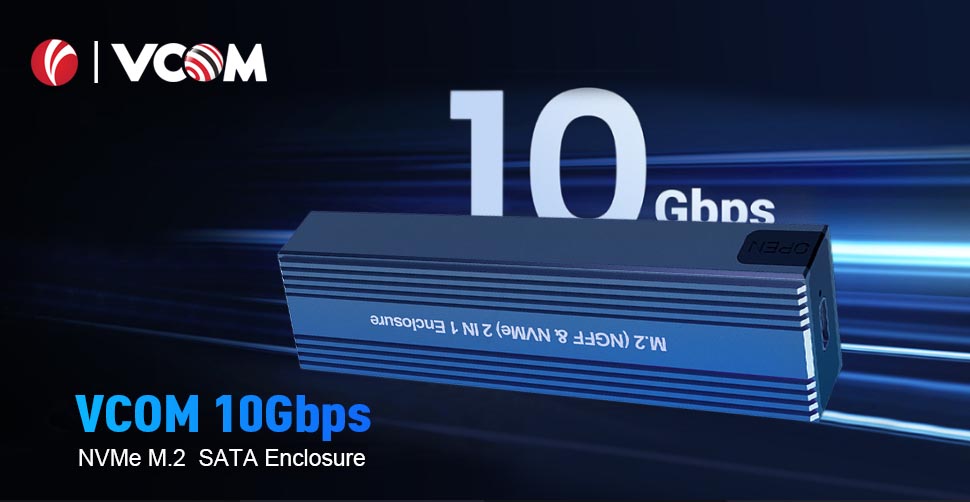
VCOM stands out here because we specialize in exactly these mature, stable designs. Our enclosures consistently earn praise for build quality, cooling, and hassle-free performance—exactly what you want when you're trusting them with valuable data.
Endnote
Storage prices are climbing and likely will stay high for a while. But your own data-storage costs don't have to. Before you drop hundreds on a shiny new drive, check the old hardware you already own. A single quality enclosure—especially a well-engineered one from VCOM—can unlock hundreds in savings and give your forgotten SSD a whole new life as a fast, reliable portable drive.
Smart reuse beats expensive new purchases every time. Grab the right enclosure today and start saving!
Tag:SSD,SSD Enclosure


Related Products
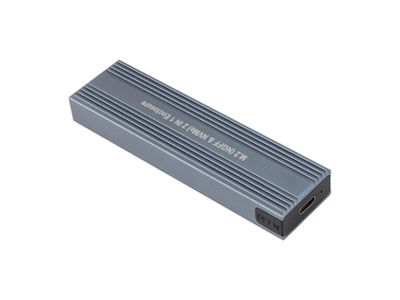 | |
| M.2 NVMe & SATA SSD Enclosure | |
 |  |