
An HDMI dummy plug is one of the smallest accessories in a computing setup, yet it can solve surprisingly disruptive problems. When a computer runs without a physical monitor, the operating system may fail to create a normal desktop environment. Remote desktop software may show a black screen, available resolutions may become limited, and GPU acceleration may not behave as expected.
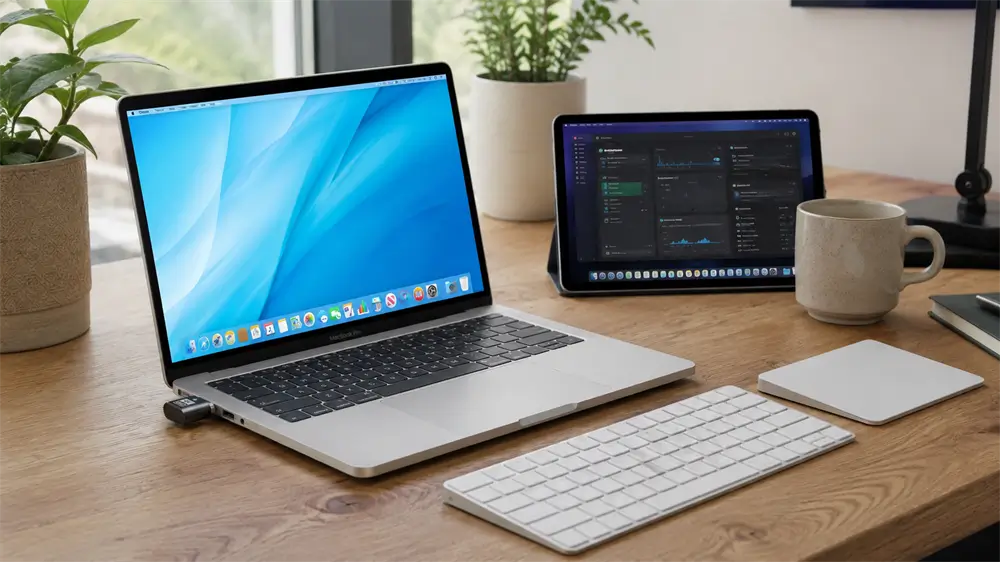
This situation is common in headless PCs, AI Agent workstations, GPU servers, media systems, remote maintenance terminals, and MacBook clamshell deployments. Instead of leaving a monitor permanently connected, users can plug a compact HDMI dummy plug into the HDMI output. The computer then detects a “display,” allowing the system to create a stable virtual screen for remote operation.
What Is an HDMI Dummy Plug?
An HDMI dummy plug, also called an HDMI display emulator or headless display adapter, is a small HDMI male device that simulates the presence of a connected monitor. It does not output images to a real screen. Instead, it provides display identification information to the computer so that the graphics system behaves as though a monitor is attached.
This process is closely related to EDID, the display information used by a source device to understand what resolutions and refresh rates a display supports. In practical terms, the dummy plug tells the computer: “A display is connected, and it supports these display modes.” Once that information is detected, the system can activate a desktop environment for local or remote use. Display emulator vendors describe this same principle: after a dummy plug is attached, the operating system detects a display and enables GPU-driven operation.
Why Headless Systems Need a Display Emulator
A headless computer is a machine that operates without a directly connected monitor, keyboard, or mouse. Servers have operated headless for years, but the concept has become increasingly important with the rise of AI automation, remote work, cloud computing, and unattended desktop systems.
The problem is that many operating systems and graphics drivers are designed around the assumption that a display is connected. Without one, some systems may reduce resolution, disable certain graphics functions, or produce a black screen during remote access. DWService’s remote-access documentation specifically describes the issue of a remote device with no monitor connected, showing only a black screen when using a screen-viewing function.
An HDMI dummy plug provides a hardware-level solution. It is simple, compact, driver-free in most cases, and suitable for long-term unattended use. Compared with software-only virtual display drivers, a physical dummy plug is often preferred when stability and plug-and-play reliability matter more than advanced custom display layouts.
Key Benefits of Using an HDMI Dummy Plug
The first benefit is stable remote desktop access. When a display emulator is present, remote software usually has a proper desktop surface to capture. This helps reduce black screen issues and makes remote control more predictable.
The second benefit is higher and more stable resolution options. Many headless systems default to low resolutions when no display is connected. A 4K HDMI dummy plug allows the system to detect a high-resolution virtual display, making remote work more comfortable for multitasking, dashboard monitoring, software testing, and AI workflow supervision.
The third benefit is GPU activation. Some graphics systems do not fully initialize display output when no monitor is detected. Display emulator products are commonly used because the attached dummy display can make the operating system detect a connected display and enable GPU behavior.
The fourth benefit is a cleaner workspace. In remote labs, server rooms, factories, and AI automation stations, keeping a monitor connected to every machine is inefficient. A dummy plug reduces hardware clutter while preserving display functionality.
Main Application Scenarios
AI Agent Workstations
AI Agent systems often run browsers, automation tools, local models, dashboards, and remote monitoring software for long periods. These machines may be placed in a cabinet, office corner, or equipment room without a dedicated monitor. For such use cases, a dummy plug can maintain a stable virtual display so that remote sessions remain accessible.
VCOM’s DU705/DU705b HDMI Dummy Plug is designed for this type of environment. It is positioned as a 4K HDR display emulator for headless systems and remote computing, supporting virtual display creation, GPU activation, and uninterrupted remote desktop operation. The product is also optimized for AI Agent workflows and 24/7 unattended performance.
Remote Desktop and IT Maintenance
For IT administrators, an HDMI dummy plug is a practical tool for remote troubleshooting. Office PCs, test benches, industrial computers, digital signage players, and unattended terminals can remain reachable even when no monitor is physically attached.
This is especially useful when the remote desktop screen must display at 1080p, 2K, or 4K instead of a low fallback resolution. The result is a more natural operating environment for diagnostics, driver updates, software maintenance, and system monitoring.
Headless GPU Servers
GPU servers are no longer used only in data centers. Small teams now use GPU workstations for rendering, AI inference, image generation, model testing, and video processing. When these machines run headless, a display emulator can help maintain graphics initialization and remote visibility. Virtual display drivers are also widely used for headless servers, streaming, screen recording, and VR workflows, which confirms the broader need for virtual display environments.
MacBook Clamshell Setups
MacBook clamshell mode allows a Mac laptop to operate with the lid closed when connected to external display equipment and accessories. Apple’s support guidance notes that users first need to allow an external display, mouse, and keyboard to connect before using a Mac laptop with the lid closed.
For specialized AI Agent or unattended MacBook workflows, a dummy plug can act as the display-side hardware in a compact setup. VCOM notes that the DU705/DU705b supports macOS clamshell optimization when used together with its proprietary macOS utility tool.
HDMI Dummy Plug vs HDMI Adapter
A common misunderstanding is that an HDMI dummy plug works like an HDMI converter. It does not. An HDMI adapter converts or bridges signals between interfaces, such as USB-C to HDMI or VGA to HDMI. A dummy plug only simulates a display. It should be inserted into an HDMI output port, not an HDMI input port, and it cannot convert signals for a real monitor.
Recommended Product: VCOM DU705/DU705b HDMI Dummy Plug
For users building a reliable headless computing setup, VCOM DU705/DU705b offers a professional option. It supports 4K HDR virtual display emulation, HDMI 2.0 compatibility, 4K@60Hz resolution, Windows/macOS/Linux operation, HDMI bus power, and continuous unattended workloads. DU705 includes a blue LED status indicator, while DU705b provides a no-indicator version for users who prefer a cleaner or darker operating environment.
Tag:HDMI Dummy Plug