
Wireless screen casting has become an essential technology for meeting rooms, classrooms, home theaters, retail displays, industrial control systems, and mobile workstations. Instead of relying on long HDMI cables or fixed AV wiring, users can transmit video and audio from a phone, laptop, camera, media player, or industrial computer to a large display wirelessly.
However, many buyers only focus on resolution or transmission distance and overlook a more important factor: system architecture. From a hardware perspective, most wireless screen casting solutions fall into two categories: pure RX architecture and RX+TX architecture. These two designs look similar from the outside, but their compatibility, latency, deployment cost, and application scenarios are very different.
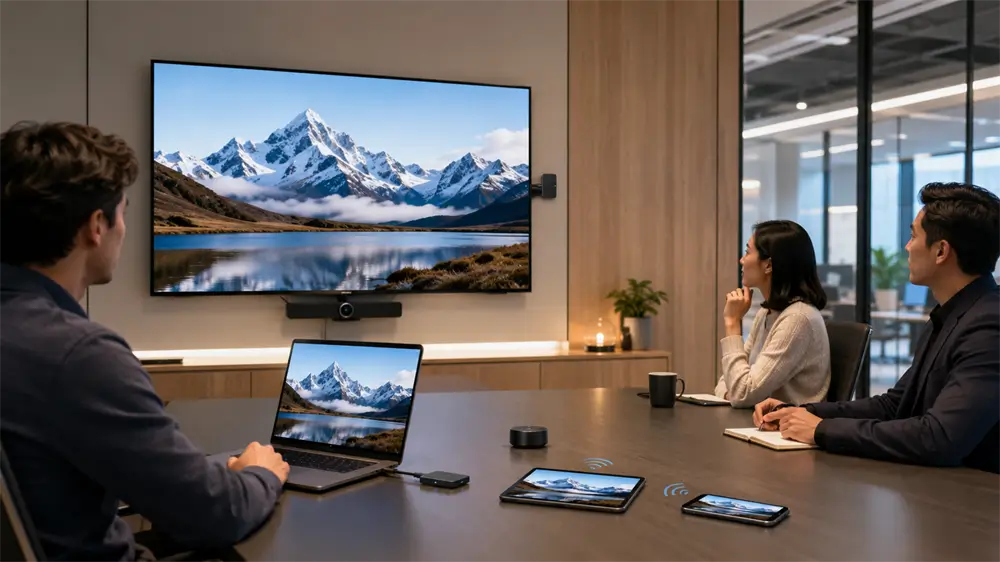
What Is a Pure RX Wireless Casting Solution?
A pure RX solution includes only a receiver. The receiver connects to a display through HDMI, USB-C, or DisplayPort, then waits for a source device to send content wirelessly. The source device may be a smartphone, tablet, or laptop that already supports a built-in wireless display protocol such as Miracast, AirPlay, DLNA, Google Cast, or a similar casting function.
In this architecture, the receiver usually integrates a Wi-Fi module and a video decoding unit. After being connected to a TV, monitor, or projector, it may create a hotspot or join the same local network as the source device. The phone or laptop then discovers the receiver and pushes the screen image to the display.
Pure RX is common in consumer-grade wireless display adapters because it is compact, affordable, and easy to install.
Advantages of Pure RX Architecture
The first advantage is cost. Since there is no separate transmitter, only one receiver is needed for each display. This makes pure RX a practical option for budget-sensitive projects, temporary installations, home entertainment, and basic meeting-room sharing.
The second advantage is easy deployment. In many cases, users only need to plug the receiver into the display, connect power, select the correct input source, and start screen mirroring from the source device. This is useful in BYOD environments, where employees, teachers, students, or guests may bring their own phones or laptops.
Pure RX systems are also energy efficient. Without a transmitter module, the hardware structure is simpler and the total power consumption is relatively low. For static presentations, document sharing, casual video playback, and mobile phone mirroring, this architecture can provide a clean and convenient wireless experience.
Limitations of Pure RX Architecture
The biggest limitation of pure RX is source-device dependency. The receiver cannot create wireless casting capability by itself. If the source device does not support the required protocol, casting may fail. This is especially relevant for older laptops, industrial PCs, medical devices, cameras, set-top boxes, and gaming consoles.
Latency is another important factor. Pure RX solutions rely heavily on operating system protocols, network negotiation, video compression, decoding, and software compatibility. This can create noticeable delay, especially in crowded Wi-Fi environments. For general presentations, this delay is usually acceptable. For gaming, real-time control, medical display, or industrial monitoring, it may not be suitable.
Pure RX architecture also has limited expansion functions. Advanced requirements such as USB touchback, keyboard and mouse pass-through, two-way audio, or professional-grade low-latency transmission are difficult to implement with a receiver-only design.
What Is an RX+TX Wireless Casting Solution?
An RX+TX solution includes both a transmitter and a receiver. The transmitter connects directly to the source device, usually through an HDMI input or USB-C with video output support. It captures the display signal, encodes it, and transmits it wirelessly to the receiver. The receiver then decodes the signal and outputs it to the display.
This means the source device does not need to support Miracast, AirPlay, or any native wireless casting protocol. As long as the device can output video through HDMI or a compatible USB-C, the RX+TX system can transmit the screen.
This architecture is widely used in wireless HDMI extenders, professional presentation systems, camera monitoring systems, industrial display upgrades, classroom AV systems, and fixed meeting-room installations.
Advantages of RX+TX Architecture
The strongest advantage of RX+TX is compatibility. It can work with laptops, desktop computers, cameras, media players, game consoles, industrial controllers, medical imaging systems, and other HDMI-enabled devices. This makes it much more suitable for professional environments where the source device may not have built-in wireless screen mirroring.
Latency performance is also generally better. Because the transmitter and receiver are designed as a paired system, the manufacturer can optimize encoding, decoding, wireless transmission, pairing, and interference control. Some RX+TX systems use point-to-point wireless links or private transmission protocols, reducing dependence on the existing office or home network.
Function expansion is another major benefit. Depending on the model, RX+TX products may support 4K output, USB touchback, mouse and keyboard pass-through, one transmitter to multiple receivers, multiple transmitters to one receiver, and stronger connection stability. These features are valuable for interactive teaching, training rooms, industrial terminals, and control panels.
Pure RX vs RX+TX: How to Choose
For mobile-first scenarios, pure RX is often enough. It is suitable when the main source devices are smartphones, tablets, and modern laptops that already support wireless casting. Typical use cases include home movie sharing, classroom screen mirroring, basic office presentations, and temporary retail displays.
For professional or fixed installations, RX+TX is usually the stronger choice. It is recommended when the source device has only HDMI output, when low latency is required, when 4K transmission is important, or when touchback and control functions are needed. Industrial control rooms, medical displays, gaming consoles, camera monitoring, training centers, and conference systems benefit more from RX+TX architecture.
A hybrid deployment can also be practical. For example, a meeting room may use pure RX for guest mobile casting while using RX+TX for fixed PCs, cameras, or presentation terminals.
Why VCOM Wireless ScreenCast Solutions Are Worth Considering
VCOM wireless screen casting products are designed for users who need stable, practical, and easy-to-deploy display connectivity. VCOM wireless HDMI extender and ScreenCast solutions help reduce cable clutter while supporting flexible display layouts in meeting rooms, classrooms, home entertainment areas, and mobile work scenarios.
Compared with basic receiver-only casting, a dedicated wireless extender can offer broader device compatibility and a more predictable connection experience. For users who need plug-and-play wireless video without complex software installation, VCOM ScreenCast solutions provide a balanced choice between convenience, performance, and professional usability.
Tag:Wireless Screen Casting