
When buying an HDMI cable, many users focus only on the connector shape and cable length. However, HDMI performance is mainly determined by bandwidth, supported resolutions, refresh rates, and the features of the source device, display, and cable. This is why labels such as HDMI 1.4, HDMI 2.0, HDMI 2.1, and HDMI 2.2 often appear in product descriptions.
Choosing the wrong cable does not always mean the screen will stay black. In many cases, the display may still work, but high-end features such as 4K at 120Hz, 8K video, HDR, VRR, eARC, or stable high-refresh-rate gaming may not perform correctly. Flickering, random signal loss, color errors, audio dropouts, and refresh-rate limitations are common signs that the cable is below the required specification.
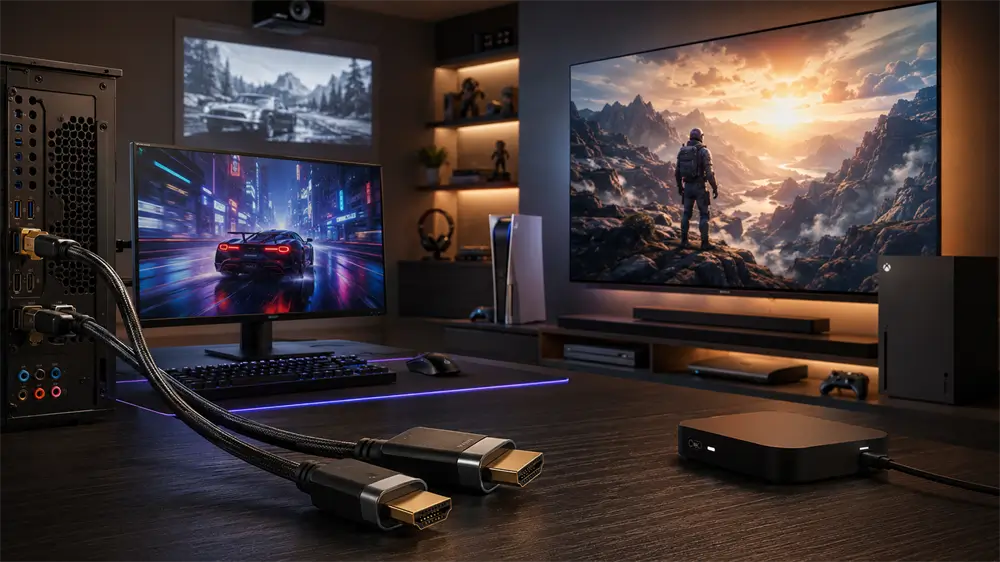
Why Bandwidth Matters in HDMI Cables
Bandwidth can be understood as the width of a road. A wider road can carry more traffic at the same time. In HDMI transmission, higher bandwidth allows more video and audio data to pass from a computer, game console, TV box, Blu-ray player, or AV receiver to a display.
Higher bandwidth is especially important when resolution, refresh rate, color depth, and HDR increase simultaneously. A 1080p office display requires far less data than a 4K 120Hz gaming TV or an 8K home theater system. For stable performance, every part of the signal chain must support the target output: the source device, HDMI port, cable, and display.
HDMI 1.4: Still Usable, But Best for Older Devices
HDMI 1.4 supports up to 10.2Gbps bandwidth. It is commonly associated with 1080p at 60Hz and 4K at 30Hz. For older TVs, projectors, laptops, and basic media playback, HDMI 1.4 can still be usable.
However, it is not the best option for new purchases. Users who want smooth 4K video, modern gaming, high-refresh-rate monitors, or future upgrade flexibility should avoid choosing HDMI 1.4-level cables unless the application is clearly limited to legacy equipment.
HDMI 2.0: A Practical Choice for 4K 60Hz
HDMI 2.0 increases bandwidth to 18Gbps and is widely used for 4K TVs, office monitors, TV boxes, laptops, and mainstream desktop computers. For many users, HDMI 2.0 remains a cost-effective and reliable choice.
Its typical use cases include 4K at 60Hz video playback, HDR content, office display expansion, streaming devices, and casual gaming. If the display is a 4K 60Hz TV or monitor, a Premium High Speed HDMI cable is usually the appropriate category to look for.
For home entertainment users who mainly watch 4K movies, use a streaming box, or connect a laptop to a 4K monitor, HDMI 2.0 is often sufficient. It offers a strong balance between performance and cost.
HDMI 2.1: The Mainstream High-End Choice
HDMI 2.1 supports up to 48Gbps bandwidth and is now common in high-end TVs, gaming consoles, graphics cards, and premium monitors. It is the recommended choice for users who want 4K at 120Hz, 8K at 60Hz, VRR, ALLM, QFT, Dynamic HDR, or eARC.
This makes HDMI 2.1 especially important for PlayStation 5, Xbox Series X, high-performance gaming PCs, 4K 120Hz televisions, and high-refresh-rate gaming monitors. For these scenarios, an Ultra High Speed HDMI cable is the more reliable choice.
It is also important to understand that not every product marketed with “HDMI 2.1” delivers the same capability. Buyers should check the actual bandwidth and supported functions rather than relying only on the version number. For cable selection, 48Gbps and Ultra High Speed HDMI certification are key indicators.
HDMI 2.2: Built for the Next Generation
HDMI 2.2 is the newest generation of the HDMI specification. It raises maximum bandwidth to 96Gbps and introduces the Ultra96 HDMI cable category. This standard is designed for future ultra-high-resolution and high-refresh-rate applications, including professional displays, advanced gaming hardware, medical imaging, large-format digital signage, AR/VR systems, and next-generation home theaters.
For most current users, HDMI 2.2 is not yet a daily requirement. Many TVs, monitors, graphics cards, and game consoles still center around HDMI 2.0 and HDMI 2.1. However, users building a long-term premium AV system, preparing for 8K and beyond, or working with professional visual equipment, should pay attention to HDMI 2.2 and Ultra96 HDMI cables.
HDMI Version Comparison
HDMI Version | Typical Bandwidth | Common Display Support | Best For |
HDMI 1.4 | 10.2Gbps | 1080p 60Hz, 4K 30Hz | Older TVs, basic displays, legacy devices |
HDMI 2.0 | 18Gbps | 4K 60Hz, HDR | 4K streaming, office monitors, TV boxes |
HDMI 2.1 | 48Gbps | 4K 120Hz, 8K 60Hz, VRR, eARC | PS5, Xbox Series X, gaming PCs, premium TVs |
HDMI 2.2 | 96Gbps | Higher resolutions and refresh rates | Future 8K/12K/16K displays, professional AV |
How to Choose the Right HDMI Cable
For daily TV watching, older computers, and 1080p displays, HDMI 1.4 may still work. But for new purchases, it is usually better to start from HDMI 2.0 or higher.
For 4K TVs, streaming boxes, projectors, office monitors, and regular computer use, HDMI 2.0 with 18Gbps support is a practical baseline. It handles 4K 60Hz well and meets the needs of most home and business environments.
For PS5, Xbox Series X, gaming PCs, 4K 120Hz TVs, and high-performance monitors, HDMI 2.1 is the recommended choice. Look for 48Gbps bandwidth and Ultra High Speed HDMI certification to reduce the risk of signal instability.
For future-facing installations, professional visual systems, and ultra-high-end display environments, HDMI 2.2 and Ultra96 HDMI cables are worth considering. They provide more bandwidth headroom for next-generation video formats.
Buying Tips for Stable HDMI Performance
First, match the cable to the highest requirement in the setup. If the target is 4K 120Hz gaming, do not choose a basic 18Gbps cable. If the goal is only 4K 60Hz video, a certified 18Gbps cable may be enough.
Second, check certification labels. Premium High Speed HDMI cables are designed for 18Gbps-class 4K performance. Ultra High Speed HDMI cables are intended for up to 48Gbps systems. Ultra96 HDMI cables are designed for HDMI 2.2 applications up to 96Gbps.
Third, pay attention to cable length. Longer copper cables are more likely to experience signal loss, especially at high bandwidth. For long-distance AV installations, active HDMI cables or optical HDMI cables may provide better stability.
Finally, choose a reliable manufacturer. VCOM HDMI cables cover mainstream 18Gbps 4K applications, 48Gbps HDMI 2.1 gaming and home theater setups, and emerging 96Gbps HDMI 2.2 solutions. For installers, retailers, and professional AV users, selecting the correct VCOM HDMI cable series can reduce compatibility issues and improve long-term reliability.
Tag:HDMI Cable