
M.2 SSD enclosures have become essential tools for IT professionals, content creators, and everyday users who demand fast, portable storage without the expense of pre-built external drives. These compact cases transform internal M.2 NVMe or SATA SSDs into high-performance external drives that deliver transfer speeds rivaling internal storage. In 2026, with PCIe 5.0 SSDs pushing boundaries and USB4/Thunderbolt interfaces maturing, the right enclosure unlocks full potential while providing unmatched flexibility for backups, data migration, video editing, and gaming libraries.
What Is an M.2 SSD Enclosure and How Does It Work?
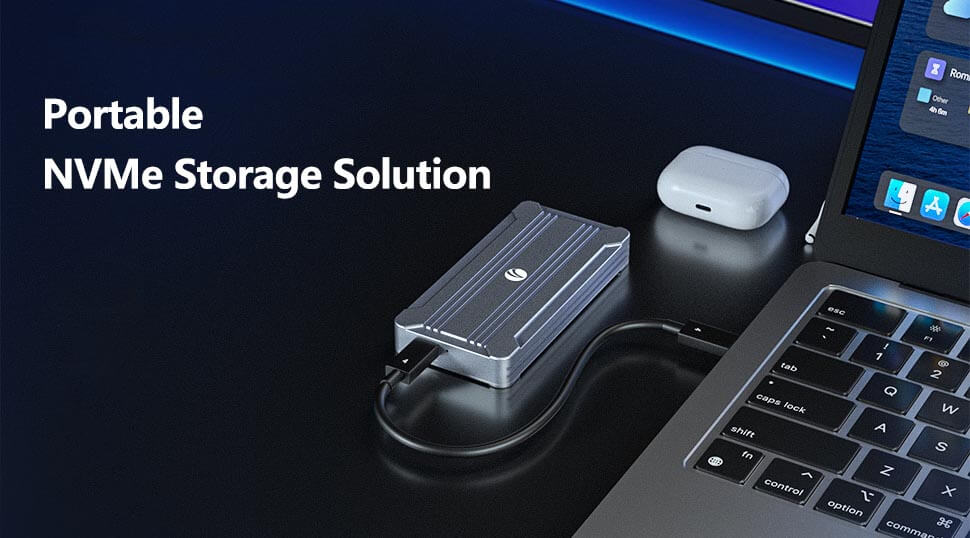
An M.2 SSD enclosure is a protective aluminum or ruggedized case that houses a bare M.2 SSD and connects it to a host device via USB, USB4, or Thunderbolt. The enclosure contains a bridge chip (such as RTL9210B or ASM2362) that converts the PCIe or SATA protocol from the SSD into a USB-compatible signal. Most modern enclosures support tool-free installation, built-in thermal pads, and LED indicators for activity and power. Once assembled, the unit functions as a plug-and-play portable SSD compatible with Windows, macOS, Linux, Android, and even iOS devices via USB-C.
Key Benefits of Using an M.2 SSD Enclosure
M.2 SSD enclosures deliver several clear advantages over traditional 2.5-inch external drives or pre-packaged portable SSDs. They reuse existing or spare M.2 drives, reducing costs and e-waste. Performance reaches up to 10 Gbps on USB 3.2 Gen 2 (real-world ~1,000 MB/s) or 40 Gbps+ on USB4/Thunderbolt models, enabling 4K video transfers in seconds. Portability stands out—the smallest units weigh under 100 grams and slip into a pocket. Additional perks include superior heat dissipation in aluminum models and future-proof compatibility with evolving SSD capacities up to 8 TB.
Understanding M.2 SSD Types: NVMe vs. SATA and Form Factors
Not every M.2 drive works in every enclosure, so compatibility matters. NVMe SSDs use the PCIe interface and M-key connector for speeds exceeding 7,000 MB/s internally; SATA M.2 SSDs rely on the B+M key and top out at ~550 MB/s. Most enclosures today prioritize NVMe, but many support dual-protocol designs for broader flexibility.
Form factors follow the 22xx naming convention: 2280 (most common, 80 mm long) fits nearly every enclosure, while 2230, 2242, and 2260 suit compact devices like Steam Deck or tablets. Always verify the keying (M-key for NVMe, B+M for SATA) and SSD thickness (single- or double-sided) before purchase.
Essential Features to Consider When Choosing an M.2 SSD Enclosure
Selection hinges on four critical factors: interface speed, thermal management, build quality, and extra features. USB 3.2 Gen 2 (10 Gbps) suffices for most users and offers broad backward compatibility. For professionals handling 8K footage or large datasets, USB4 or Thunderbolt 5 enclosures deliver 40–80 Gbps. Aluminum alloy construction with thermal pads or active cooling prevents throttling on high-end PCIe 4.0/5.0 SSDs. Tool-free designs and included cables (C-to-C plus C-to-A) enhance convenience. Advanced options add fingerprint encryption or magnetic mounting for iPhone 15/MagSafe workflows.
Step-by-Step Guide to Installing an SSD in an Enclosure
Installation takes under two minutes in most cases:
Power off the host device and remove the enclosure’s cover (tool-free slide or magnetic latch).
Insert the M.2 SSD at a 30-degree angle into the keyed slot until the gold contacts seat fully.
Secure with the provided screw or latch.
Reattach the cover, connect the USB cable, and power on. The drive appears in File Explorer or Disk Utility for formatting (exFAT recommended for cross-platform use).
Performance Comparison: USB 3.2, USB4, and Thunderbolt Enclosures
USB 3.2 Gen 2 enclosures achieve sustained read/write speeds of nearly 1,000 MB/s—ideal for everyday backups and file transfers. USB4 and Thunderbolt models push 2,500–5,000+ MB/s depending on the SSD and host, but they require compatible ports and generate more heat, making robust cooling mandatory. Real-world tests show Thunderbolt enclosures excel in sustained workloads, while USB 3.2 units deliver the best value for general users.
Top-Rated M.2 SSD Enclosures for Every Need
For reliable 10 Gbps performance with excellent heat dissipation, the VCOM M.2 NVMe SSD Enclosure (CU855N) stands out. Its aluminum body, thermal pad, and intelligent power-off protection keep temperatures low during intensive transfers while supporting M.2 2230–2280 NVMe drives up to 2 TB.
Users needing dual-protocol versatility and MagSafe convenience turn to the VCOM SSD Magnetic Enclosure (CU853SN). This compact aluminum unit handles both NVMe and SATA SSDs at 10 Gbps, features tool-free installation, and attaches directly to iPhone 15 or MagSafe accessories—perfect for on-the-go 4K editing or gaming storage.
For high-end workflows, VCOM’s CU876N Thunderbolt 5/USB4 enclosure delivers up to 80 Gbps on compatible hosts, features a built-in silent fan, and supports all standard M.2 sizes. Security-conscious professionals appreciate the VCOM Fingerprint SSD Enclosure (CU855SN-F), which adds hardware-level biometric encryption without sacrificing 10 Gbps speeds or broad SSD compatibility.
Maintenance Tips and Common Troubleshooting
Keep enclosures clean and avoid extreme temperatures. Update the bridge chip firmware when available for optimal compatibility. If the drive fails to appear, check the SSD seating, try a different cable or port, and confirm the host supports the required protocol. For sustained high speeds, ensure adequate airflow around aluminum models.
Endnote: Elevate Your Storage Game Today
M.2 SSD enclosures represent one of the smartest, most cost-effective upgrades available in 2026. They breathe new life into spare drives, deliver blistering speeds in a tiny footprint, and adapt to virtually any workflow. Whether choosing a dependable 10 Gbps daily driver like VCOM’s CU855N or a flagship Thunderbolt solution like the CU876N, the right enclosure transforms storage from a limitation into a competitive advantage. Explore the full VCOM SSD Enclosure lineup to match exact performance, security, and portability needs.
Tag:SSD Enclosure